01 / A recording, not a re-recording
The voice is already in the file.
When a recording matters, the useful question is simple: can you make the speech easier to listen to without recording it again?
For this demonstration, we took the first minute of the David Gooding lecture already featured in Diffio’s examples. It is an archival religious lecture, not a customer testimonial. We uploaded that same source to the current app and restored it with Diffio 4.5 Flash and Diffio 4.5 Pro.
The original recording is the input; no noise was added for this demonstration. The player above contains the original excerpt and the two actual downloaded results, with a fixed volume adjustment so a louder version does not win your comparison by default.
Listen for three things
- Between the words. Compare the background during a pause, not only while the speaker is loud.
- At the edges of the voice. Pay attention to consonants, breaths and the ends of phrases.
- Over a longer passage. Play the whole minute. Decide whether the result is useful for your purpose, not just different.
02 / Follow the actual process
From the file to a result
you can take with you.
This is the real browser workflow used for these files. The walkthrough combines captured screens with the actual comparison audio. Waiting is edited out; it is not a continuous screen recording.
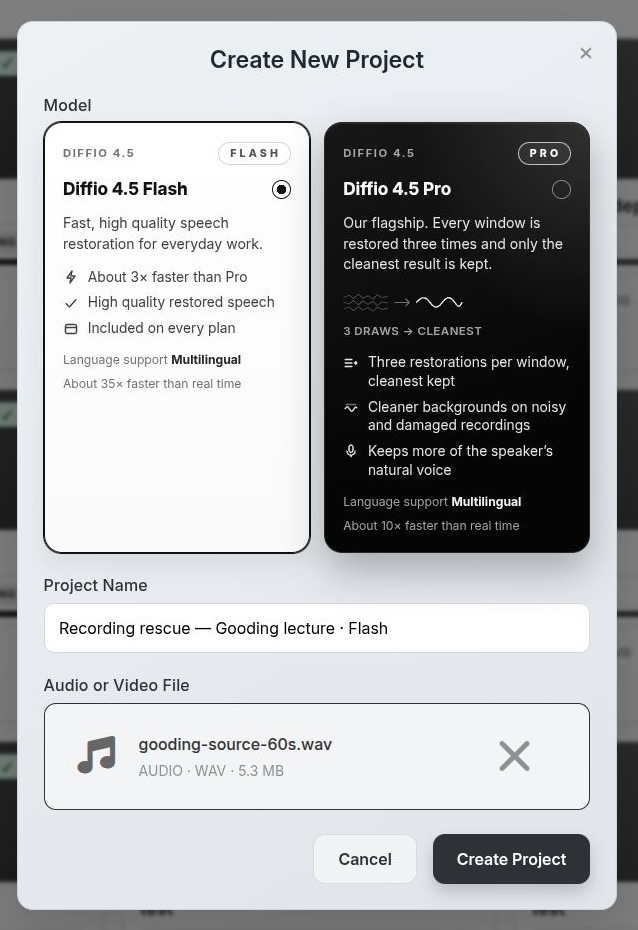
Bring the original file.
We uploaded the 60-second source as a WAV and selected Flash explicitly. Flash is the model available in the free trial; a paid account also offers Pro.
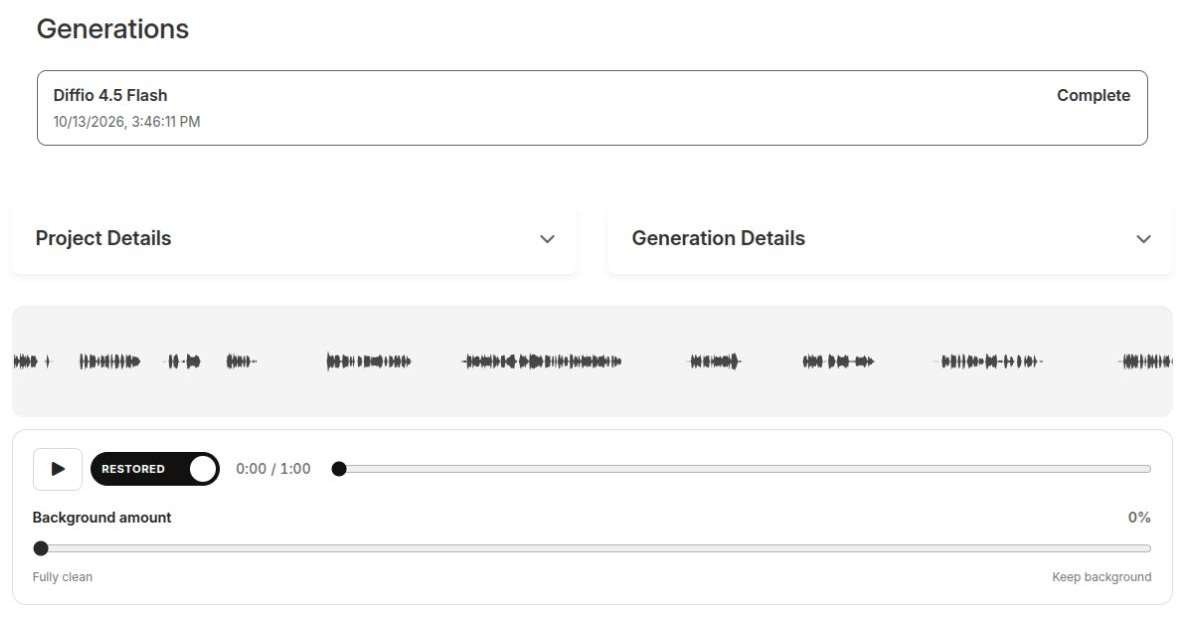
Compare the result with its source.
After processing, the project keeps the original beside the restoration. We set the background amount to zero for these comparisons, then repeated the same source with Pro. You can hear both results at the top of this page.
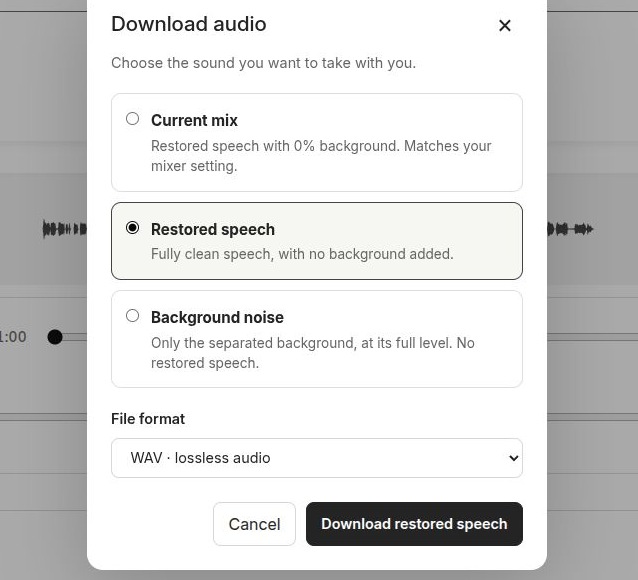
Keep the output you actually need.
We used the paid download controls and selected “Restored speech” as a WAV. The files in this page’s comparison come from those exports. Free accounts can audition a preview; downloading your own full result requires a paid plan.
03 / Use your recording as the test
The next file is the one
that matters to you.
One example cannot tell you how every recording will turn out. Speech that is heavily masked, clipped or missing may stay imperfect. Listen for altered words and changes in the speaker’s character as carefully as you listen for less noise.
Start with the free Flash preview. If it is useful, a paid plan unlocks full playback, downloads and the Pro model. The Pro model is included in Basic from $8/month—you do not need the $29 Pro plan to use it.
Make your own before & after
Already have a recording?
Upload audio or video, hear the first two minutes, and decide with your own ears.
3 free trial uploads with Flash. Downloads require a paid plan.
See the plans and allowances
What exactly is free?
Three trial uploads, audio or video, with the first two minutes of each Flash result available to preview. Full playback, downloads and the Pro model require a paid web plan.
Can I use this for a video?
Yes. Diffio restores the speech soundtrack of supported video files while the picture remains unchanged. You can preview video in the trial; full-result downloads require a paid plan. See video speech cleanup.
Will it recover every word?
No result is guaranteed. Review your own preview for intelligibility, word fidelity and naturalness. This is speech restoration, not a replacement for missing source material or a music-mastering service.
Source & method
Keep the comparison honest.
Source: the first 60 seconds of Diffio’s existing David Gooding lecture example. Both restorations were created through the live Diffio app on 13 October 2026 using the same mono WAV source, with the models shown in the screenshots. The content is presented as a restoration demonstration, not an endorsement of the speaker’s views.
We downloaded pure restored speech with no background added back. These web files use fixed gains to bring the three versions to approximately −20 LUFS: original −8.37 dB, Flash −1.26 dB, Pro −0.03 dB. No additional cleanup, dynamic compression or replacement speech was applied. MP3 copies keep this page lightweight; original WAV exports are retained with the production record.
Downloads here are this published demonstration, not a free export of a visitor’s own project.