The test
Tested on the same 59 recordings
All 59 recordings
Averages over 59 clips; thin lines are 95% intervals.
Show the numbers, including estimated speaker similarity
| Tool | Quality gain (SCOREQ) | Word error rate | Estimated speaker similarity |
|---|---|---|---|
| Diffio 4.7 Flash | +2.3495% interval 2.17 to 2.51 | 3.9%95% interval 3.0% to 5.0% | 0.6595% interval 0.61 to 0.68 |
| Diffio 4.7 Pro | +2.3295% interval 2.15 to 2.49 | 4.1%95% interval 3.1% to 5.3% | 0.6595% interval 0.62 to 0.69 |
| Cleanvoice | +1.8995% interval 1.73 to 2.05 | 16.4%95% interval 11.8% to 21.3% | 0.5995% interval 0.56 to 0.62 |
| Original recording | No processing (average SCOREQ 2.31) | 13.2%95% interval 9.6% to 17.3% | 0.9295% interval 0.92 to 0.93 |
Averages over 59 clips of real recordings, run November 3, 2026 (other tools October 22). A higher SCOREQ gain and a lower word error rate are better. Estimated speaker similarity is an estimate, from the noisy original and the restored file alone, of how closely the restored voice matches the speaker (1 means identical). It replaces the ECAPA similarity to the noisy original, which read too low on damaged input. An untouched original scores about 0.92, so it measures how close the voice stays, not how much was cleaned. How it is estimated. Diffio's results are Diffio 4.7, rendered for this test on November 3, 2026 from its released model on Diffio's own GPUs with the same processing as the app (customer restorations run on Diffio's Mac mini fleet); the other tools ran on October 22, 2026.
Diffio is not affiliated with or endorsed by Cleanvoice. Product names are trademarks of their owners.
What the test found, and how each tool ran
The same 59 real recordings through every tool, each in its strongest speech cleanup mode at default amounts.
Diffio ran Cleanvoice and its own two models on the same 59 real recordings (test run November 3, 2026; other tools October 22), each in its strongest speech cleanup mode at default amounts. Diffio 4.7 raised the SCOREQ speech quality score by 2.34 (Flash) and 2.32 (Pro) on average, against 1.89 for Cleanvoice. Clip by clip on SCOREQ, Cleanvoice scored higher than Diffio 4.7 Pro on 6 of 59 clips.
Where Diffio did not win: On echoey rooms (5 clips), Cleanvoice (3.9%) had a lower word error rate than Diffio 4.7 Pro (5.8%). On phone and remote calls (3 clips), Cleanvoice (3.5%) had a lower word error rate than Diffio 4.7 Pro (5.0%). On narration over music (1 clip), Cleanvoice (3.7%) had a lower word error rate than Diffio 4.7 Pro (6.3%).
Scores are model predictions, not a human listening test, and Diffio ran the test. The full method and every clip are on the results page.
Averages over all 59 clips. A higher quality gain (SCOREQ) and a lower word error rate are better; the untouched recordings had a 13.2% word error rate.
- Diffio 4.7 Flash (1st of 3 on quality gain): Released Diffio 4.7 weights, Flash sampler, run on Diffio's own GPUs with production's leveling, transcript and output steps; restored speech only. MP3 192 kb/s.
- Diffio 4.7 Pro (2nd of 3 on quality gain): Released Diffio 4.7 weights, Pro sampler, run on Diffio's own GPUs with production's leveling, transcript and output steps; restored speech only. MP3 192 kb/s.
- Cleanvoice (3rd of 3 on quality gain): API, noise removal and Studio Sound on, all cutting and normalization off. Returns WAV.
Is Cleanvoice AI free?
A trial, not a free plan
Cleanvoice's free option is a trial: a 30-minute free trial, no credit card. After that it is paid, by the hour or by monthly subscription; every plan is under Current Cleanvoice pricing.
If you want an ongoing free tier rather than a trial, Adobe Podcast's free Enhance Speech allows audio only, one file at a time, up to 30 minutes and 500 MB per file, 1 hour a day, and Auphonic Free includes 2 processed hours a month, with an Auphonic jingle added; multitrack under 20 minutes. Diffio Free is a trial too: 3 uploads in total, audio or video, with a 2-minute preview of each result and no downloads.
Languages and the Cleanvoice API
9 languages in the API docs
Cleanvoice markets filler-word removal across 20+ languages. Its API documentation currently lists nine confirmed languages and says English, German and Romanian are the most accurate, so results should be evaluated for the language and material you use.
Cleanvoice offers self-service dashboard API keys, REST and official Python and JavaScript/TypeScript SDKs under ordinary pay-as-you-go or subscription pricing. Custom pricing is optional for 200+ hours or custom endpoints. Its pricing page also describes a startup program offering up to 200 hours of free API credit, requested from the API Keys page of its developer dashboard. For comparison, every Diffio API account starts with a one-time $5 usage credit (about an hour of Diffio 4.7 Flash) without a payment method. Its help center says failed uploads or jobs are not charged and rare erroneous deductions are refunded or returned.
These terms can change, so check the linked first-party pages for current details. Credit expiry, roll-over and the free trial are under pricing below.
What Cleanvoice does well
Content edits
Cleanvoice supports filler, silence, mouth-sound, breath and stutter removal plus normalization.
Transcripts and episode outputs
Its workflow includes transcription, summaries, chapters, show notes and social-copy suggestions.
Multitrack and editor handoff
Cleanvoice can process and merge tracks and export timeline, marker and EDL data to supported editors.
Self-service developer access
Dashboard API keys, REST and official Python and JavaScript/TypeScript SDKs are available with ordinary pay-as-you-go or subscription usage.
1 more
Audio and video enhancement
Current documentation lists broad audio and video inputs and enhancement features, including MP4, MOV, WebM, AVI and MKV workflows.
Cleanvoice brings enhancement and podcast editing into one workflow, which is useful when cleanup is only one part of producing an episode or video.
Where Cleanvoice falls short for a focused restoration job
The workflow includes more than restoration
If the only job is restoring compromised speech, filler edits, episode outputs, social copy and editor handoff add a broader production surface.
SDK multitrack support is not the stable path
Current documentation directs stable multitrack processing through the REST API rather than the SDKs.
Usage rounds to minutes
Cleanvoice states that uploads are rounded up to the nearest minute for pricing.
Custom arrangements begin at high volume
The self-service API uses ordinary plans; 200+ processed hours or custom endpoints move into a custom plan.
Why users switch to Diffio for speech restoration
Damaged speech
Your source speech is compromised by supported noise, reverb or echo, or clipping or distortion.
A focused restore workflow
You want a focused upload-and-restore experience rather than a podcast editing and content-production system.
A restoration API
You need a separate developer API specifically for speech restoration.
Speech in video files
You want to restore the speech soundtrack of a supported video file without editing the picture.
Compared
Cleanvoice AI vs Diffio by workflow
| Need | Diffio | Cleanvoice AI |
|---|---|---|
| Primary job | Restore damaged speech | Enhance and edit episodes |
| Enhancement scope | Noise, echo, clipping | Noise, hum, echo (advertised) |
| Editing and outputs | Restored audio + transcript | ✓ Filler cuts, show notes |
| Multitrack and handoff | – Single file | ✓ Multitrack, EDL export |
Show all 9 rows
| Need | Diffio | Cleanvoice AI |
|---|---|---|
| Primary job | Restore compromised speech | Enhance and edit podcast or recorded-media content |
| Enhancement scope | Supported noise, reverb or echo and clipping or distortion cases | Vendor-advertised Studio Sound and noise removal for hiss, hum, background noise, echo, reverb and distortion |
| Editing and outputs | Restoration plus a transcript for every result; no filler, silence, show-note or social-content tools | Filler, silence, mouth-sound, breath and stutter edits; transcription, summaries, chapters, show notes and social-copy suggestions |
| Multitrack and handoff | Not a multitrack mixer or editing timeline | Multitrack processing and merge; timeline, marker and EDL export to supported editors and NLEs |
| Video | Diffio restores the speech soundtrack of supported video files on every plan; Diffio does not edit picture | Broad video workflows with MP4, MOV, WebM, AVI and MKV listed in current documentation |
| Developer access | Separate metered developer API for speech restoration | Self-service dashboard API keys, REST and official Python and JavaScript/TypeScript SDKs |
| Commercial model | Free includes 3 uploads; paid web subscriptions have monthly minute allowances; the developer API is separate and metered | Pay-as-you-go and subscription pricing; custom arrangements are optional for 200+ hours or custom endpoints |
| Trial and credits | Free web plan includes 3 uploads with a 2-minute playback preview | A 30-minute no-card trial; pay-as-you-go credits are valid for two years and unused subscription hours roll over up to three times the plan allowance |
| Our 59-clip test (test run November 3, 2026; other tools October 22) | Diffio 4.7 Flash: SCOREQ +2.34 on average, word error rate 3.9%; Diffio 4.7 Pro: SCOREQ +2.32 on average, word error rate 4.1%. Diffio ran the test; scores are model predictions, not a human listening study. Method and every clip. | Cleanvoice: SCOREQ +1.89 on average, word error rate 16.4%, on the same recordings. |
Other Cleanvoice AI alternatives
Diffio ran each of these on the same recordings as Cleanvoice in its AI speech enhancer test. Each is good at a different job, and each has its own free tier:
Adobe Podcast Enhance Speech+1.87 SCOREQ
Adobe Podcast Enhance Speech for a free quick pass on short audio files. Free: audio only, one file at a time, up to 30 minutes and 500 MB per file, 1 hour a day. More on the Adobe Podcast alternative page.
Auphonic+0.82 SCOREQ
Auphonic for leveling, loudness targets and automatic publishing. Free: 2 processed hours a month, with an Auphonic jingle added; multitrack under 20 minutes. See Diffio and Auphonic compared.
Descript Studio Sound+0.46 SCOREQ
Descript Studio Sound if you edit audio and video by transcript. Free: 60 media minutes a month, 100 AI credits once, limited Studio Sound, watermarked 720p exports. See what Studio Sound costs and does.
ElevenLabs Voice Isolator+0.79 SCOREQ
ElevenLabs Voice Isolator if you already use ElevenLabs for voices or dubbing. Free: 10,000 credits a month (about 10 minutes of Voice Isolator); no commercial license.
Pricing
Current Cleanvoice pricing
Prices in US dollars before tax: pay-as-you-go costs $11 for 5 hours, $20 for 10 hours or $45 for 30 hours.
Read the full answer
Monthly subscriptions list $11 for 10 hours, $28 for 30 hours or $90 for 100 hours. Credits purchased pay as you go remain valid for two years; subscription hours can roll over up to three times the plan allowance. Cleanvoice routes 200+ hours per month or custom endpoints to a custom plan. Check Cleanvoice's current pricing before purchasing, or compare cost per hour on AI audio enhancer pricing.
Each tool's cheapest published plan that covers 5 hours a month, billed month to month; Diffio Basic is $8 a month for 6 hours. Cost per hour at 1, 5 and 20 hours for six tools
All 6 plans and prices
| Plan | Billing | Price (USD) | Hours included | Per hour, fully used |
|---|---|---|---|---|
| Subscription 10 hours | Monthly subscription | $11 a month | 10 hours | $1.10 |
| Subscription 30 hours | Monthly subscription | $28 a month | 30 hours | $0.93 |
| Subscription 100 hours | Monthly subscription | $90 a month | 100 hours | $0.90 |
| Pay as you go 5 hours | One-time pack | $11 | 5 hours | $2.20 |
| Pay as you go 10 hours | One-time pack | $20 | 10 hours | $2 |
| Pay as you go 30 hours | One-time pack | $45 | 30 hours | $1.50 |
Diffio plans: Free: 3 uploads · Basic $8 a month · API $5 an hour
Diffio plans: Free is 3 uploads in total with a 2-minute preview of each result. Basic ($8 a month) includes 6 hours a month and Pro ($29 a month) 30 hours, with full playback and downloads, for audio or video files up to 2 GB and 90 minutes. The API is billed per second at $5 an hour (Diffio 4.7 Flash) or $10 (Diffio 4.7 Pro), with a $5 starting credit. Diffio pricing · API pricing
How it works
How Diffio restores a recording
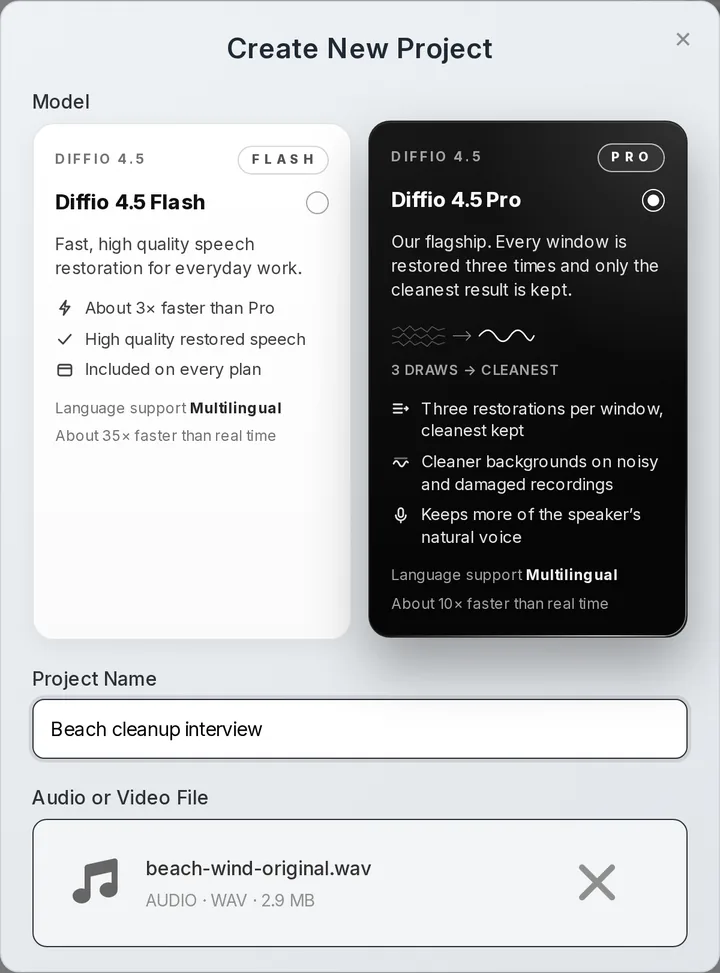
Upload what you recorded
Audio or video, up to 2 GB and 90 minutes per file.
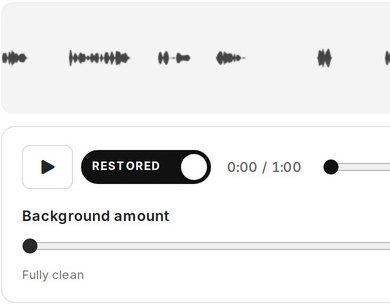
Compare on one playhead
Switch between the original and the restored speech while it plays.
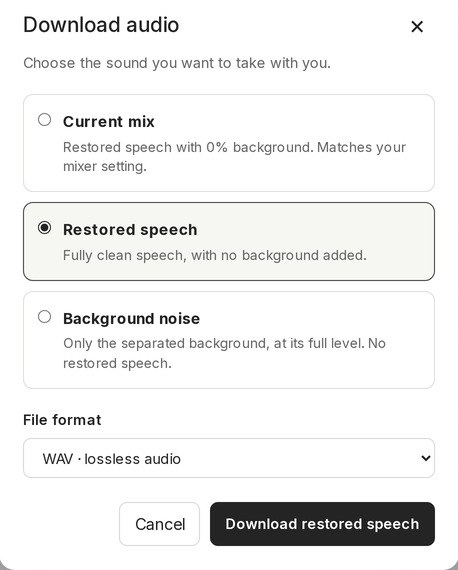
Download what you need
Paid plans download the speech, the background as its own track, or the full video.
- Diffio 4.7 FlashEvery plan, including Free
- Diffio 4.7 ProPaid plans, more model work per step
Questions
Cleanvoice alternative questions
Does Cleanvoice remove echo?
Cleanvoice advertises echo and reverb removal alongside hiss, hum, background noise and distortion. Diffio restores noise, room echo and some clipping in recorded speech in one pass, so compare both on the same clip.
Is there a free alternative to Cleanvoice AI?
Yes. Adobe Podcast and Auphonic both keep an ongoing free tier, while Diffio Free is a three-upload trial. Their limits are listed under Is Cleanvoice AI free? above.
How much does Cleanvoice cost?
Cleanvoice sells hours pay as you go or by monthly subscription, priced in US dollars before tax. Each plan and its price is in the table under Current Cleanvoice pricing.
Does Cleanvoice have an API?
Yes, a self-service one on the ordinary plans. Its SDKs, the volume at which a custom plan applies and its startup credit are under Languages and the Cleanvoice API.
2 more questions
Do Cleanvoice credits expire?
Hours bought pay as you go expire after two years; subscription hours roll over, up to a cap. The exact terms are under Current Cleanvoice pricing.
When is Diffio the better Cleanvoice alternative?
When the only job is restoring damaged recorded speech through a simple web app or API, without filler, silence, show-note or social-content tools.
Sources
Vendor pages and when we checked them
Vendor prices, trial and credit terms checked November 10, 2026. Developer and API descriptions come from Cleanvoice's own documentation (last reviewed August 25, 2026). See Cleanvoice's developer overview, API documentation, authentication guide, configuration reference, Python SDK reference, and JavaScript SDK reference.
For product and commercial details, see Cleanvoice's language guidance, pricing page, API pricing help, credit rollover help, trial help, integrations page, audio enhancer page, and failed-job charging guidance.