Hear it on video
Wind on a real outdoor interview, restored
A U.S. Fish and Wildlife Service interview filmed outdoors in the wind. The original sound plays first, then the same moment restored.
Original to 5 s, then Diffio 4.7 Pro
- SCOREQ (of 5)
- 3.10 → 4.64
- Word errors
- 0%
- Estimated speaker similarity
- 0.81
Transcript
So rodenticides are very effective at killing rodents, but it doesn't just stop there. What eats the rodent and eats that animal and so on and so forth up the food chain can also be affected. Things like birds of prey and wild cats, coyotes, can be affected by rodenticides.
The problem
What wind noise is
Wind noise isn't the sound of the wind. It's air hitting the microphone.
Rumble and thumps
Most of the energy sits low, under the voice.Overload
The hardest gusts make the mic crackle.Small mics
Phones, action cameras and lavs are most exposed.
How a gust turns into noise, and what Diffio does with it
Moving air breaks into turbulence at the capsule, and the mic records that as a low rumble with thumps and pops each time a gust lands. That's why a breeze you barely felt can drown out the voice on playback.
Most of the energy sits in the low frequencies, under the voice. Strong gusts spread higher, right through the range where speech lives, and the hardest ones overload the mic so the sound crackles. Small mics are the most exposed: phones, action cameras, camera-top mics and lavalier mics clipped to a collar, as at outdoor vows and speeches.
In the recording
Speech outdoors
- The voice
- Air hitting the mic: a low rumble
- Thumps and pops as each gust lands
Diffio 4.7 Flash or Pro
Restores the voice without the rumble
- Works on the gusts that sit on the words, where a filter can’t separate them
You download
Restored speech
- The audio, or the full video with the picture untouched
- The background as its own track, to bring back a little outdoor air
Tested
Wind and outdoor noise in our speech enhancer test
- Diffio 4.7 Flash
- +2.13
- Diffio 4.7 Pro
- +2.11
- Best other tool: Adobe Podcast
- +1.96
- Word errors, original → 4.7 Pro
- 13.6% → 4.9%
The result in words, each recording and the full chart
Average SCOREQ quality gain over the original on 7 wind and traffic clips, higher is better. Test run: Diffio 4.7 on November 3, 2026, the other tools on October 22, 2026.
Three of the 7 clips in this group are wind recordings (a beach cleanup in surf, a Fish and Wildlife Service interview and a lighthouse in a storm); the rest are traffic, street and aircraft noise. Across all 7, Diffio 4.7 Flash raised speech quality by +2.13 and Pro by +2.11, against +1.96 for Adobe Podcast. On the 3 wind recordings alone, Flash raised it by +2.28 and Pro by +2.20, against +1.98 for Adobe Podcast; three clips are too few to rank tools, so treat that as indicative.
| Recording | 4.7 Flash | 4.7 Pro | Best other tool |
|---|---|---|---|
| Ranger at a lighthouse in a storm | +3.03 | +2.81 | +2.42Cleanvoice |
| Fish and Wildlife Service interview in wind | +1.55 | +1.55 | +1.47Adobe Podcast |
| Beach cleanup interview in wind and surf | +2.25 | +2.24 | +2.16Adobe Podcast |
| Average of the 3 wind recordings | +2.28 | +2.20 | +1.98Adobe Podcast |
Each figure is one recording's gain over its own original. Single clips vary, so treat a row as an example and the group average below as the result.
All 6 tools, full group: Wind and traffic (7 clips)
Wind and traffic: 7 clips
Averages over 7 clips; thin lines are 95% intervals.
In our test's wind and traffic group (7 clips), Diffio 4.7 Flash and Diffio 4.7 Pro raised the SCOREQ speech quality score by 2.13 and 2.11 on average, against 1.96 for Adobe Podcast, the highest of the other tools. Diffio 4.7 Pro's word error rate was 4.9%, against 13.6% for the original recordings.
Diffio is not affiliated with or endorsed by Adobe, Descript, Auphonic, ElevenLabs or Cleanvoice. Product names are trademarks of their owners.
| Tool | Quality gain (SCOREQ) | Word error rate | Estimated speaker similarity |
|---|---|---|---|
| Diffio 4.7 Flash | +2.1395% interval 1.59 to 2.68 | 6.0%95% interval 2.7% to 9.7% | 0.7595% interval 0.64 to 0.83 |
| Diffio 4.7 Pro | +2.1195% interval 1.57 to 2.64 | 4.9%95% interval 2.4% to 7.5% | 0.7695% interval 0.64 to 0.84 |
| Adobe Podcast | +1.9695% interval 1.50 to 2.38 | 12.6%95% interval 5.5% to 23.0% | 0.6695% interval 0.55 to 0.76 |
| Cleanvoice | +1.8495% interval 1.27 to 2.37 | 17.4%95% interval 5.0% to 38.4% | 0.6395% interval 0.51 to 0.74 |
| Auphonic | +1.6095% interval 1.29 to 1.88 | 9.2%95% interval 4.8% to 13.9% | 0.8295% interval 0.71 to 0.90 |
| ElevenLabs | +1.5595% interval 1.05 to 2.07 | 22.7%95% interval 5.3% to 52.2% | 0.8195% interval 0.68 to 0.90 |
| Descript Studio Sound | +0.4695% interval 0.33 to 0.64 | 11.7%95% interval 5.4% to 20.7% | 0.9295% interval 0.90 to 0.93 |
| Original recording | No processing (average SCOREQ 2.43) | 13.6%95% interval 4.8% to 27.1% | 0.9395% interval 0.92 to 0.94 |
Averages over 7 clips of real recordings, run November 3, 2026 (other tools October 22). A higher SCOREQ gain and a lower word error rate are better. Estimated speaker similarity is an estimate, from the noisy original and the restored file alone, of how closely the restored voice matches the speaker (1 means identical). It replaces the ECAPA similarity to the noisy original, which read too low on damaged input. An untouched original scores about 0.92, so it measures how close the voice stays, not how much was cleaned. How it is estimated. Diffio's results are Diffio 4.7, rendered for this test on November 3, 2026 from its released model on Diffio's own GPUs with the same processing as the app (customer restorations run on Diffio's Mac mini fleet); the other tools ran on October 22, 2026.
With Diffio
How to remove wind noise with Diffio
01 · Upload
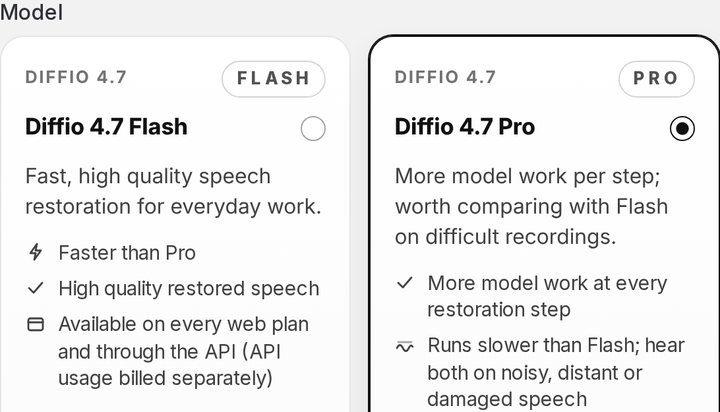

Upload the windy recording
Here, the Coastal storm clip from the player above, as an MP3.
02 · Compare
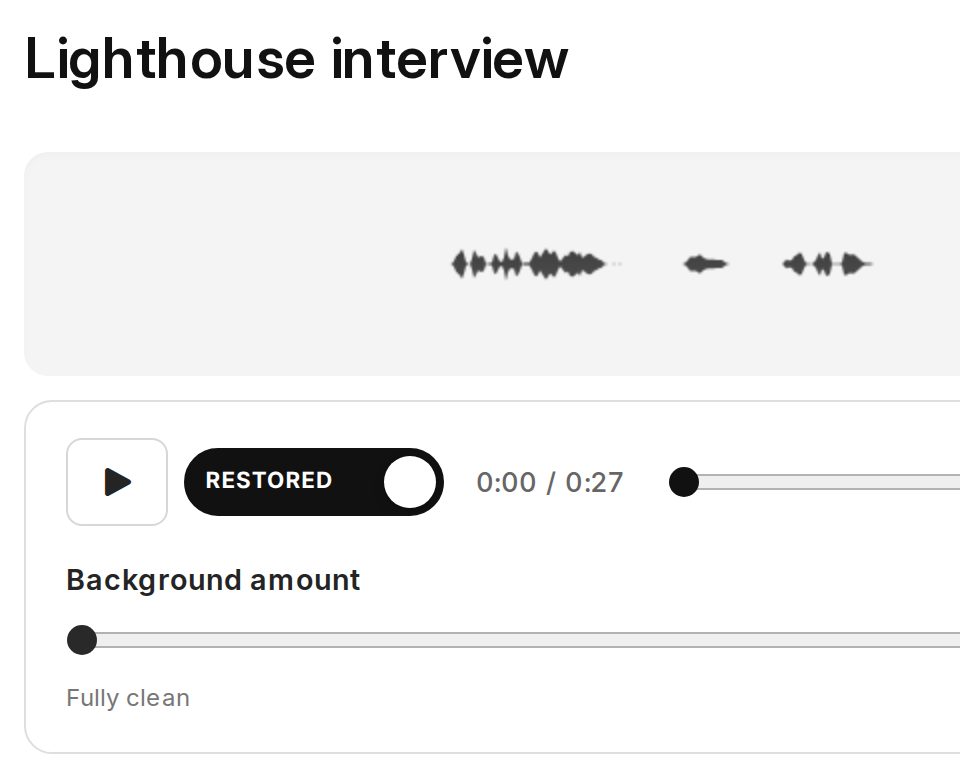
Compare on one playhead
The restored speech plays, with the wind one switch away.
03 · Download
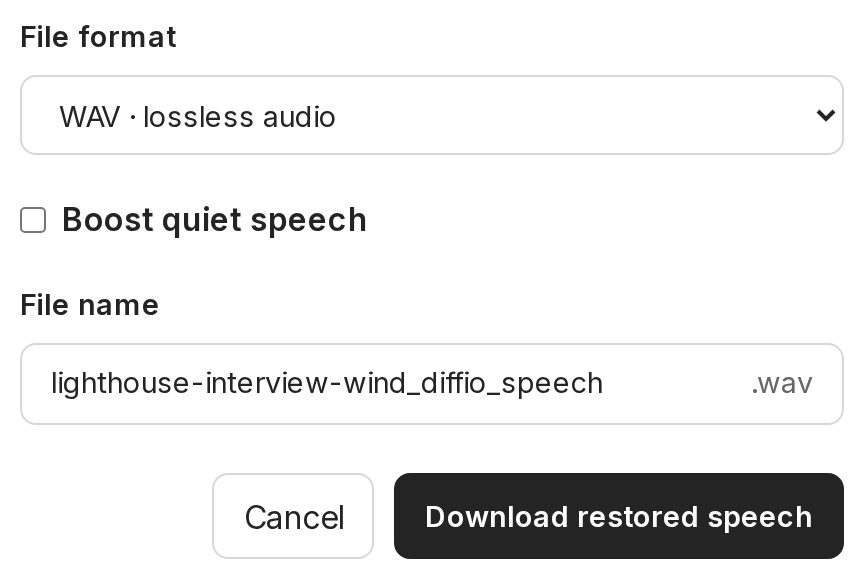
Download the restored speech
A WAV named after the original, on a paid plan.
- Diffio 4.7 FlashEvery plan, including Free
- Diffio 4.7 ProPaid plans, more model work per step
Each step in full: formats, models and results
- Upload the original
MP3, WAV, M4A, AAC, FLAC or OGG audio, or MP4, MOV, AVI, MKV or WebM video, up to 90 minutes and 2 GB on every plan. Use the rawest copy you have, not a re-export.
- Choose a model
Diffio 4.7 Flash is fast and on every plan, including Free. Diffio 4.7 Pro does more model work per step, runs slower and is included in Basic. In our test's wind and traffic group (7 clips), Diffio 4.7 Flash raised the SCOREQ speech quality score by 2.13 on average and Diffio 4.7 Pro by 2.11, about the same, and Diffio 4.7 Pro made fewer word errors (4.9%). For a recording you can't make again, try both.
- Compare
Play the result and switch between the original and the restored speech on the same playhead. Listen hardest where the gusts were.
- Download
On a paid plan, download the restored speech or the full video with the picture untouched. Diffio returns the background as its own track, so a slider can bring back a little outdoor air if silence sounds wrong for the scene.
Remove wind noise from video
Upload the MP4 or MOV; the picture comes back untouched.
Recording
Before and after you record
Before
How to prevent wind noise while recording
- Cover the mic with a furry windshield
- Hide the lav under clothing
- Turn on the low-cut filter
Limits
What Diffio can't fix
- Words the gust covered completely
- A mic overloaded by the wind
- Every last trace of a storm
After, by hand
How to reduce wind noise in Audacity, Premiere Pro and DaVinci Resolve
- Audacity: High-Pass Filter
- Premiere Pro: Reduce Rumble
- DaVinci Resolve: Fairlight high-pass
Every step and editor: prevention, limits and editor steps
Before: all 5 prevention steps
- Cover the mic
- A foam windscreen handles a light breeze. Real wind needs a furry windshield, often called a deadcat, over the mic.
- Hide the lav
- Clip a lavalier under a layer of clothing or under its own small furry cover, not on an open collar.
- Use bodies and buildings as windbreaks
- Turn the speaker's back to the wind, or move into the lee of a wall, a car or a tree.
- Turn on the low-cut filter
- On the recorder, camera or mic, it trims rumble below the voice before it's recorded.
- Listen on headphones
- Wind is easy to miss by ear and obvious in headphones.
Limits: why, and music and other voices
- Words the gust covered completely
- If the wind was the only thing the mic heard for a moment, there is no voice there to restore.
- A mic overloaded by the wind
- Gusts that drive the mic into distortion leave crackle on top of the rumble. Diffio repairs some clipping and distortion, but heavy overload limits the result.
- Every last trace of a storm
- In the real lighthouse recording above, some wind is still audible after restoration.
- Music and other voices
- Diffio restores speech. Music goes to the background track, and two people talking at once stay together in one speech track.
After, by hand: full steps in each editor
If the wind is a steady low rumble under clean speech, a filter in the editor you already use may be enough. These work on the low end. Gusts that land on top of the words are harder to filter, because they share frequencies with the voice.
Audacity (free)
- Select the clip, then open Effect, EQ and Filters, High-Pass Filter.
- Start the frequency at about 80 Hz and raise it toward 150 Hz until the rumble drops. Stop before the voice thins out.
- Noise Reduction (Effect, Noise Removal and Repair) needs a steady noise to learn from, so it helps little with gusts.
Adobe Premiere Pro
- Select the clip and tag it as Dialogue in the Essential Sound panel.
- Open Repair and turn on Reduce Rumble for the low end. Add Reduce Noise for a steady roar.
- Raise the amounts slowly and listen on headphones. Too much leaves the voice thin and watery.
DaVinci Resolve
- On the Fairlight page, open the track's EQ and turn on the high-pass filter around 80 to 150 Hz.
- In DaVinci Resolve Studio, the Inspector has a Voice Isolation control for audio clips. Raise it until the wind drops.
- Compare with the bypassed track before you render.
When the gusts are on the words and a filter can't separate them, that's the case Diffio is for. More in make audio sound better.
Plans
What it costs to remove wind noise
Free
$0
Try Diffio on your own recordings.
- 3 uploads in total (not monthly), audio or video
- Preview the first 2 minutes of each result
- Diffio 4.7 Flash model
- No full playback, download or export
Basic
$8per month
For hobbyists and small teams.
- 6 hours (360 minutes) of audio or video a month
- Full playback, download and export
- Diffio 4.7 Flash and 4.7 Pro. Developer model docs
Pro
$29per month
For professionals and businesses.
- 30 hours (1,800 minutes) of audio or video a month
- Full playback, download and export
- Diffio 4.7 Flash and 4.7 Pro. Developer model docs
- Files up to 90 min · 2 GB, every plan
- API from $5/h · $5 free credit
- Every plan detail
Questions
Questions about wind noise
How can I remove background wind noise from audio?
Upload the recording to Diffio and it restores the speech with the wind moved out, then play it against the original on the same playhead. To do it by hand, a high-pass filter set somewhere between 80 and 150 Hz takes out the low rumble, but it leaves the gusts that land on top of the voice.
Can I remove wind noise from a video?
Yes. Upload MP4, MOV, AVI, MKV or WebM on any plan, including Free. Diffio restores the speech in the soundtrack and the picture stays exactly as it was. More on restoring speech in video.
How do I remove wind sound from a video on iPhone?
Diffio runs in a web browser, so you can upload the video from your phone or move it to a computer first. Next time, a foam or furry windscreen on an external mic stops more wind than any setting on the phone can.
Will all of the wind come out?
Not always. When a gust overloads the mic or covers a word completely, there is less voice left to restore. In the real storm recording on this page you can still hear some wind in the restored version. Try your own file and compare.
4 more questions
What microphones don’t pick up wind noise?
None are immune. A lavalier worn under clothing and a shotgun mic in a furry windscreen handle wind best. A camera’s built-in mic and a bare phone mic pick up the most.
Why does wind sound so much louder in the recording than it did in person?
Your ears hear the wind blowing past. The microphone feels it hitting the capsule, and that turbulence comes out as low rumble and thumps that can be louder than the voice.
Does Diffio remove other outdoor sounds too?
Yes. Traffic and other background noise come out with the wind. Crowd sound and music are separated into a background track rather than deleted, and a slider mixes as much of it back in as you want.
Is it free to try?
Yes. The Free plan includes 3 uploads, audio or video, with a 2-minute preview of each result on Diffio 4.7 Flash. Full playback, downloads and the Pro model start with Basic at $8 per month. See plans and limits.