How to save a loved one's voice from a voicemail or old family video, and clean it up
A practical guide to saving a loved one's voice from a phone voicemail, a cassette or an old family video, keeping the original safe, and making the voice easier to hear.
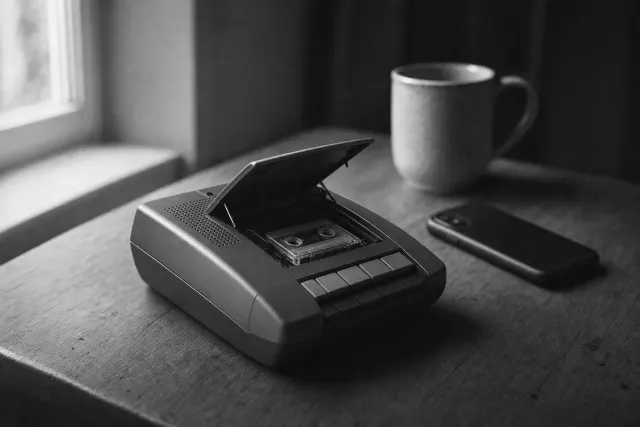
Saving a loved one's voice in four steps
- Save it
- Keep the original
- Clean a copy
- Share it
What each step involves
From the checklist at the end of this guide
- Save it
- Export the voicemail, or transfer the tape or video, to a file
- Keep the original
- Copy that file to two places and name it clearly
- Clean a copy
- Clean up a copy only, and compare it with the original by ear
- Share it
- Share the clean copy with family; keep the original forever
A voice is often the thing people miss most, and it usually lives in the least safe places: one phone, a cassette in a drawer, a camcorder tape nobody has played in twenty years.
Step 1: Save the recording somewhere other than where it lives now
Treat every voicemail and tape as temporary until it is a file in at least two places.
| Where it lives | How to get the file |
|---|---|
| iPhone voicemail | Share → Save to Files |
| Android voicemail | Save or Export in the message menu |
| No export option | Re-record it on speaker |
| Cassette or reel tape | Tape deck into a computer, as WAV |
| VHS, Hi8 or MiniDV | Capture device or transfer service, as MP4 |
The full instructions for each device
Voicemails on a phone
On an iPhone, open Phone, then Voicemail, tap the message, tap the share button and choose Save to Files or send it to yourself by email. That gives you an audio file you can copy anywhere.
On Android it depends on the phone and the carrier. Many visual voicemail apps have a Save or Export option in the message's menu; if yours doesn't, ask your carrier whether they can forward the message as an audio file.
If there is no export option, play the message on speaker in a quiet room and record it with a second phone or a computer, held close to the speaker. Be aware that this adds the sound of the room: some echo, and any noise around you, on top of the phone line. Step 3 can reduce that echo and noise, and a re-recorded copy is still far better than losing the message when the phone is replaced or the carrier deletes old messages.
Cassettes, microcassettes and reel tapes
Play the tape on a working deck connected to a computer (a USB cassette player is enough for most family tapes) and record it as a WAV file. If the tape is fragile, sticky or very old, a local transfer service is worth the cost, because a damaged tape may only survive one or two more plays.
Old family videos
For VHS, VHS-C, Hi8 or MiniDV, use a capture device or a transfer service, which will return an MP4 file. When a service transfers a camcorder tape, ask for the highest quality file they offer, not a compressed copy made for sharing.
Step 2: Keep the original exactly as it is
Two copies before any edit
- The filetransferred off the phone, tape or video
- Copy oneon a computer
- Copy twoa cloud folder, or a USB drive kept somewhere else
- Editsalways on a copy, never on the original
Name it who and when, for example grandma-voicemail-2019-03.m4a, so the original is always easy to find.
Step 3: If the voice is hard to hear, clean up a copy
An old, hissy recording, before and after Diffio AI (Diffio 4.7 Flash):


What it fixes, and why this example is a lecture
Family recordings are rarely clean. Common problems are tape hiss, mains hum, a television or traffic in the background, the echo of a kitchen or a hall, or a phone line that makes the voice thin.
An AI speech restoration tool can reduce that background noise and echo around the voice. With Diffio AI, you upload the copy in your browser (audio files or video), and download the cleaned version as a separate file. The example above is an archival lecture, not a family recording, but it has the same hiss and room noise many family tapes have. The recording rescue example walks through the full minute, from upload to download.
Trying it on your recording
- 3recordings you can upload on the free plan
- 2 minof each result you can listen to for free
- $8 a monthBasic, the paid plan for downloading the cleaned file
Honest notes: speech only, best in English, results vary, keep the original
For a video, the picture is kept and only the soundtrack is cleaned, so you get an MP4 back with the clearer audio.
- It returns speech only. Music and singing are treated like the noise and reduced along with it, so a recording of someone singing happy birthday, or talking over a song, won't come through as music.
- It works best in English. Recordings in other languages can still be tried on the free plan, but English is where it is strongest.
- Results depend on the recording. A voice that is mostly covered by noise is harder to recover than one that is simply quiet or hissy. Listen to the result next to the original before you replace anything you share with family.
- You can try before paying. The free plan lets you upload 3 recordings and listen to the first 2 minutes of each result, so you can hear whether it helps your recording. Downloading the cleaned file needs a paid plan; Basic is $8 a month.
- Keep the original anyway. A file you clean today could be cleaned better in a few years, but only if you still have the untouched original from Step 2.
Step 4: Decide how you want to keep and share it
A file in a cloud folder is safe but easy to forget. Three ways families keep the voice heard:
- Send it to family, so the clean file lives in several homes, not one.
- File it with a note of who is speaking, where and when, in a family history folder.
- Clip it: a short greeting or a laugh gets played most.
A short checklist
- Export, record or transfer it to a file.
- Copy it to two places and name it clearly.
- Clean up a copy only; compare it with the original by ear.
- Share the clean copy; keep the original forever.